Showing posts with label eval. Show all posts

Tuesday, November 1, 2016

Creating an REPL is easy in Python


By Vasudev Ram


Read Eval Print Loop

It's easy to create a simple Python REPL (a Read-Eval-Print Loop) in Python - with code.interact(), that is, with the interact function from the code module in Python's standard library.

I wrote and interacted with a small Python program to illustrate it.

It sets a couple of variables, then calls code.interact(), at which point I interact with the program via the REPL session that interact() creates.

I can see and set the variables set earlier by the program, because I pass the locals() dict to interact().

I can define a function in the session, which can access the variables set before the session.

And any changes the session makes to the variables, via my assignments, persist in the program after the interactive session ends (upon typing Ctrl-Z) and the program continues.

All this is shown in the code and output below:
from __future__ import print_function
#--------------------------------------------------------------
# Reference:
# https://docs.python.org/2.7/library/code.html
# https://docs.python.org/3.6/library/code.html
# code_interact.py
# Copyright 2016 Vasudev Ram
# Web site: https://vasudevram.github.io
# Blog: http://jugad2.blogspot.com
# Product store: https://gumroad.com/vasudevram
#--------------------------------------------------------------

import code

a = 1
b = "hello"
print("Before code.interact, a = {}, b = {}".format(a, b))

banner="code.interact session, type Ctrl-Z to exit."
code.interact( banner=banner, local=locals())

print("After code.interact, a = {}, b = {}".format(a, b))
The output of the program:
$ python code_interact.py
Before code.interact, a = 1, b = hello
code.interact session, type Ctrl-Z to exit.
>>> greeting = "hello "
>>> times = 2
>>> a
1
>>> b
'hello'
>>> def repeat_string(s, n):
...     return s * n
...
>>> repeat_string(greeting, times)
'hello hello '
>>> repeat_string(greeting, a)
'hello '
>>> repeat_string(b, times)
'hellohello'
>>> a += 2
>>> a
3
>>> repeat_string(greeting, a)
'hello hello hello '
>>> repeat_string(b, a)
'hellohellohello'
>>>
After code.interact, a = 3, b = hello
$
While on the topic of REPLs, check out these earlier posts:

repl.it, online REPL for many languages, and empythoned.

Codingbat, Progress Graphs and Michael Jordan

codepad.org, executable multi-language pastebin, in Python

- Vasudev Ram - Online Python training and consulting

Get updates on my software products / ebooks / courses.

Jump to posts: Python   DLang   xtopdf

Subscribe to my blog by email

My ActiveState recipes

FlyWheel - Managed WordPress Hosting


Wednesday, September 30, 2015

Find the caller and caller's caller of a Python function

By Vasudev Ram


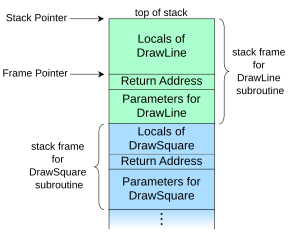
While browsing some Python posts on the Net, I saw one that made use of the sys._getframe() function. I had seen that function before, and remembered that it returns information about currently active stack frames. So I looked up the docs for sys._getframe(), thinking that it might be possible to use it within a function, to find that function's caller. Turned out that it could. I also googled for terms like "find the name of the calling function in python", and found two relevant Stack Overflow (SO) posts:

Getting the caller function name inside another function in Python?

Python: How to get the caller's method name in the called method?

It can be done by using either inspect.stack() or sys._getframe(). (The inspect module in Python's standard library supports that (finding a function's caller via stack frames), as well as some other useful introspection techniques.)

(I had blogged a couple of times about inspect, earlier, here:

Python's inspect module is powerful

and here:

Using inspect.getargvalues to debug Python programs

)

So I tried out the SO code examples and slightly modified them to make these two small programs that print the name of the caller, and the caller's caller.

Here is the first program:
'''
File: find_callers.py
Run with: python find_callers.py
'''

import sys

def foo():
    print "I am foo, calling bar:"
    bar()

def bar():
    print "I am bar, calling baz:"
    baz()

def baz():
    print "I am baz:"
    caller = sys._getframe(1).f_code.co_name
    callers_caller = sys._getframe(2).f_code.co_name
    print "I was called from", caller
    print caller, "was called from", callers_caller

foo()
When run, this program outputs:
I am foo, calling bar:
I am bar, calling baz:
I am baz:
I was called from bar
bar was called from foo

The second program is similar to the one above, except that, just for fun and to do it differently, I defined part of the overall code expression as a string, interpolated the argument (2 or 3) into it using Python string formatting, and then eval()'ed the resulting string. Note that since there is now an additional function call (eval), I had to change the arguments to sys._getframe() from 1 and 2 to 2 and 3:
# File: find_callers_with_eval.py
# Run with: python find_callers_with_eval.py

import sys

getframe_expr = 'sys._getframe({}).f_code.co_name'

def foo():
    print "I am foo, calling bar:"
    bar()

def bar():
    print "I am bar, calling baz:"
    baz()

def baz():
    print "I am baz:"
    caller = eval(getframe_expr.format(2))
    callers_caller = eval(getframe_expr.format(3))
    print "I was called from", caller
    print caller, "was called from", callers_caller

foo()
The output of this second program was identical to the first.

Note that the Python documentation says:

[ CPython implementation detail: This function should be used for internal and specialized purposes only. It is not guaranteed to exist in all implementations of Python. ]

Also, use eval() with care, and only on trusted code.

- Vasudev Ram - Online Python training and programming

Dancing Bison Enterprises

Signup to hear about new products and services that I create.

Posts about Python  Posts about xtopdf